
Pages
You can create additional pages on your space's website with information for members. For example, you can publish information about your space, competition rules, contact information, schedule etc.
How to create a page?
To create a page,
Go to console and choose a space
Go to the "Pages" section and click "Add Page"
Fill the page form,
Title
Path with
/pagesprefix, see more information belowOptionally, add labels to help organise pages
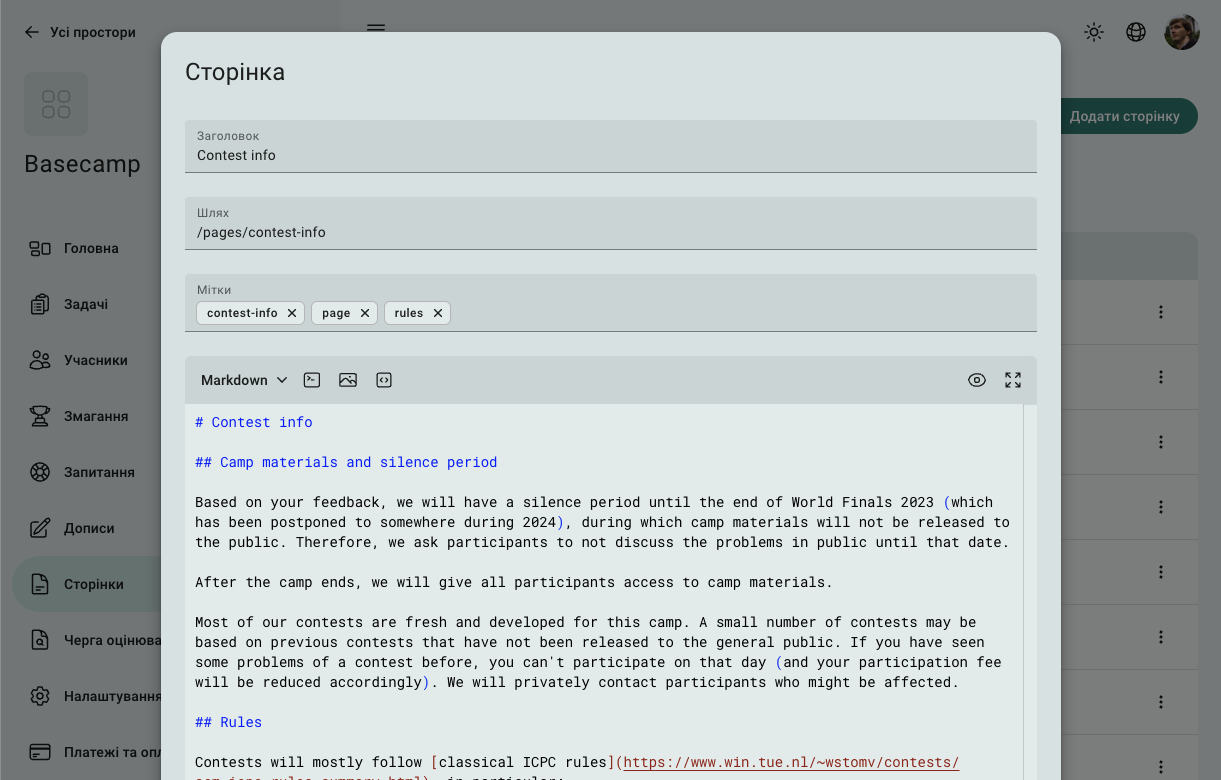
Once you have added a page, you can reference it from other pages or add link to the navigation menu.
Path
All pages whos path starts with /pages/ will be available on the space website at the address without /pages/ prefix. For example, page with path /pages/rules will be available at https://...eolymp.space/rules.
Other paths have special meaning:
/indexis used to customize home page, a page with path/indexwill replace home page on the space site/navis used to customize navigation menu
Content
You can you create pages in Markdown or LaTeX format, although, Markdown provides a few more options for formatting pages.
Markdown allows to insert widgets on the page to provide dynamic information.
 Stand with Ukraine