
Posts
Posts allow you to publish news, announcements, articles or other information. By default, only the space administrator can create posts, but you can allow members to add their own posts on the settings page.
You can also enable comments for posts to allow space members to discuss posts.
Types
To help organize your posts, you can divide them into several types. For example, you can create a separate type for news and a separate type for articles.
You can customize the post types in the space settings.
How to write a post?
To post as a space administrator,
Open the console and select a space
Go to the "Posts" section and click "Add a post"
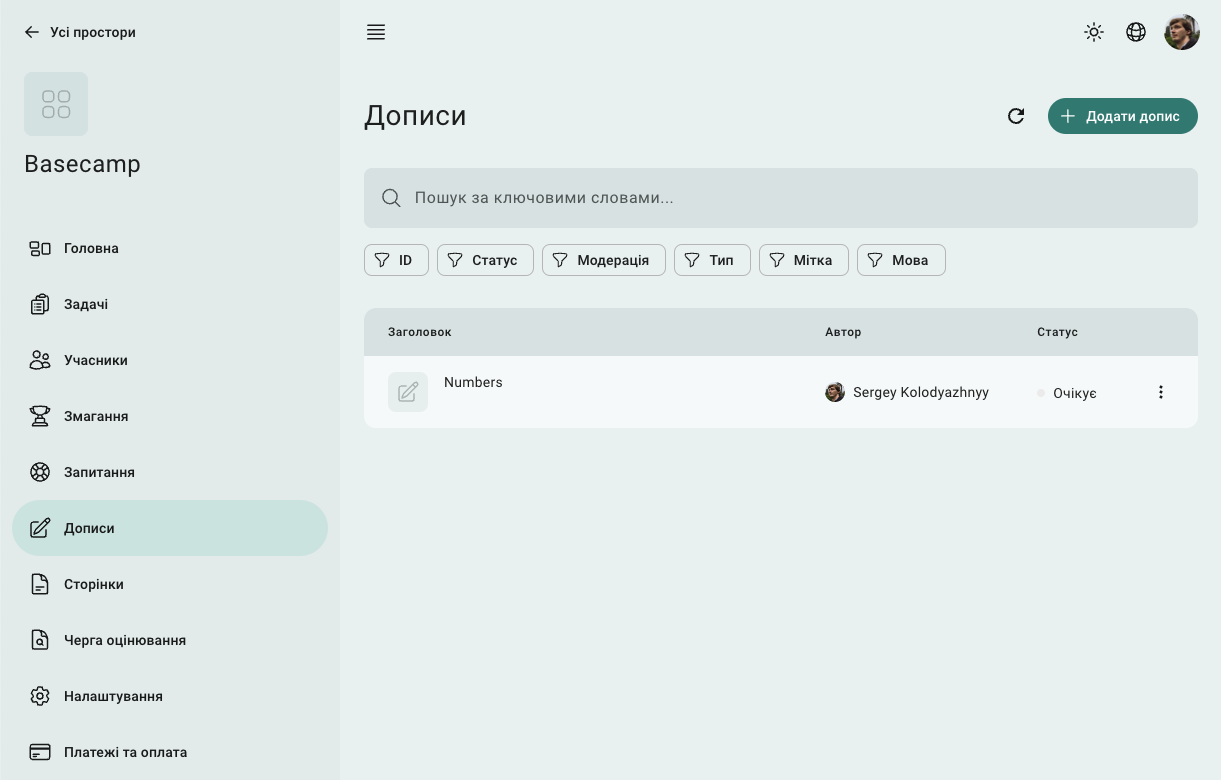
In the form to create a post, specify
Post type
Labels to make it easier to organize and find posts
The language of the post
Status: draft (not visible to participants) or published
In the "Moderation" field, select "Approved"
If a post is created in the "Published" status, it will automatically appear on the "Posts" page on the space site.
How to allow members to add posts?
To allow members to post their own posts,
Open the console and select a space
Go to Settings and open Discussions settings.
Enable "Members can post" option
Additionally, you can set the moderation mode for posts
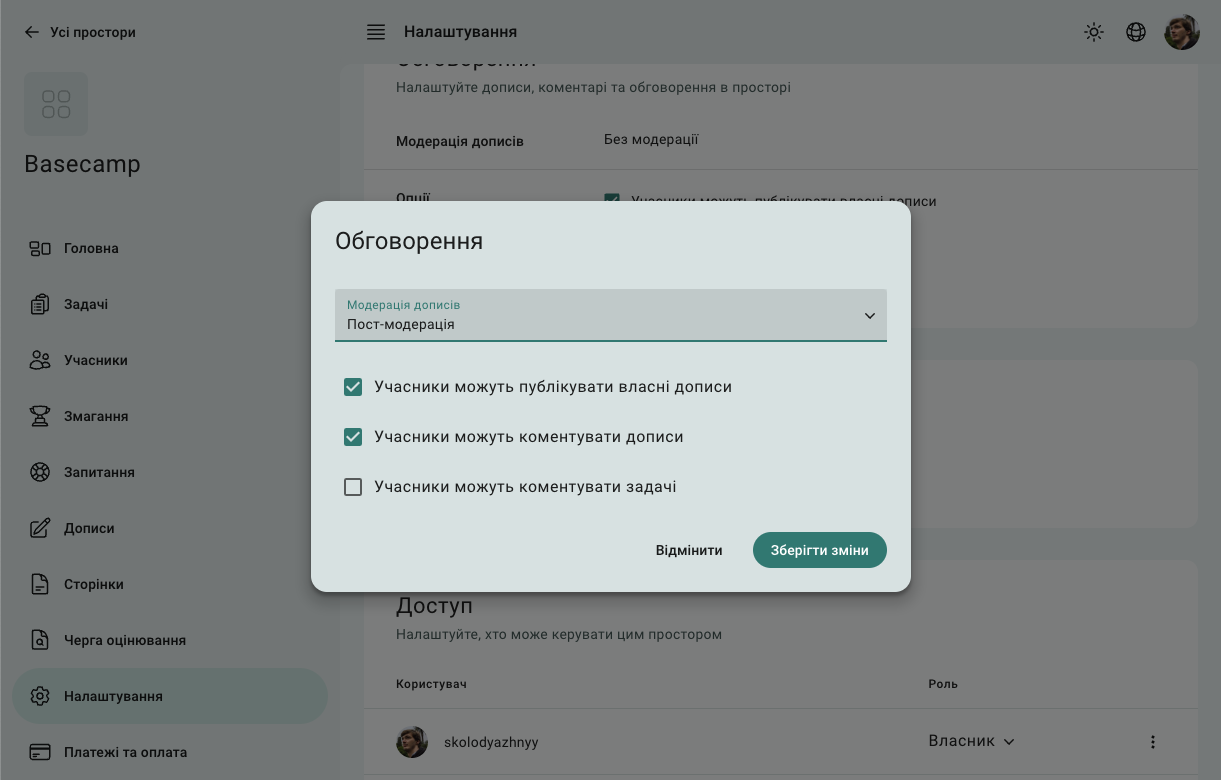
Moderation
You can enable moderation for member posts. A separate parameter is used for determines whether the post was accepted by the site moderator.
Pre-moderation - the site displays only those posts that have been accepted by the moderator
Post-moderation - all posts except those rejected by the moderator are displayed on the site
No moderation - all posts are displayed on the site
 Stand with Ukraine