
Contest Pages
You can add extra information to your contest using the "Pages" section in the contest management interface.
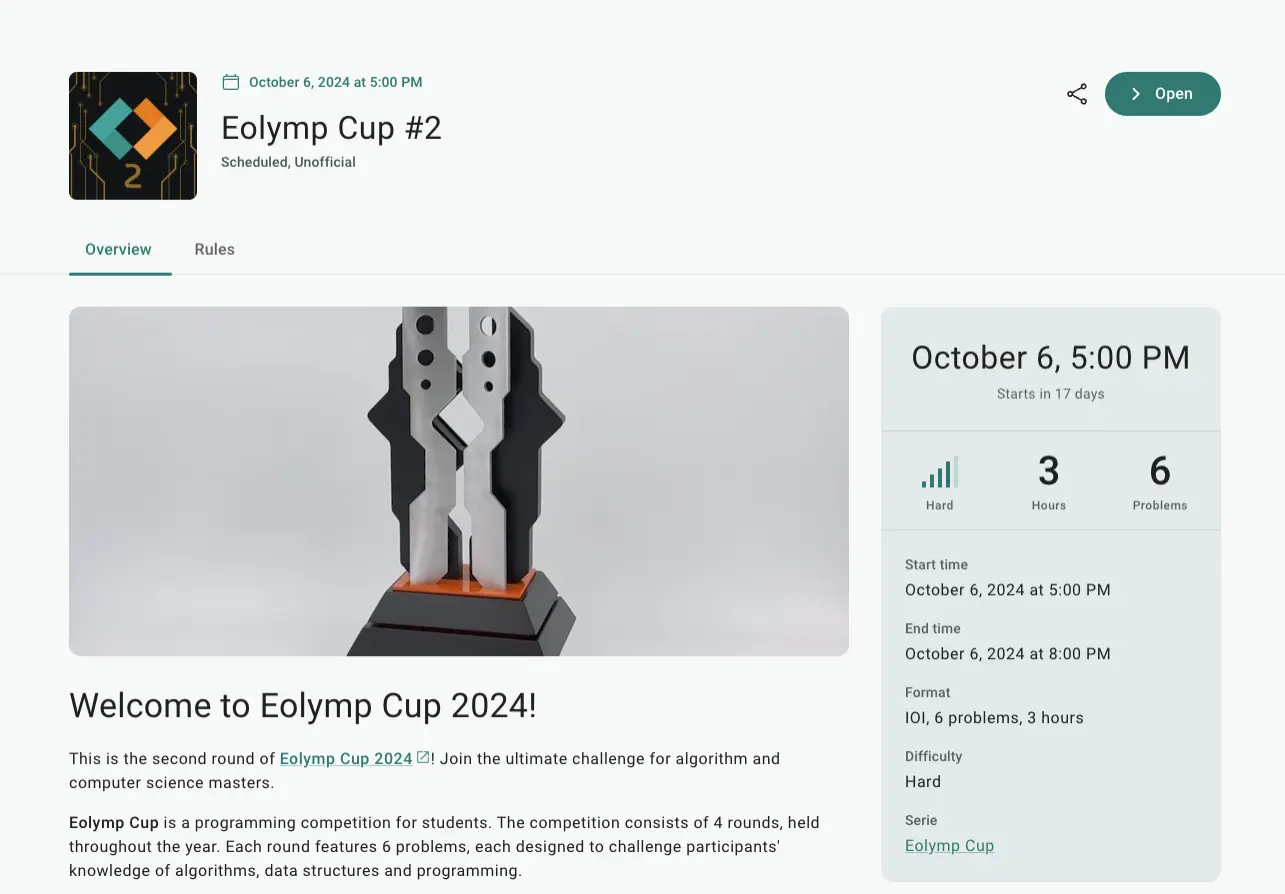
Fig. 1 Contest overview page displaying additional participant information
Overview Pages
Overview pages are displayed on the contest overview page before a participant enters the contest interface. These pages are accessible even before the contest starts and after it ends, making them ideal for providing participants with important details like contest format, grading criteria, and general information.
Manage overview pages in the "Pages" section of the contest management interface. The page with the path /overview will be shown on the contest's "home" page, while any page with a path starting with /overview/... will appear as additional tabs.
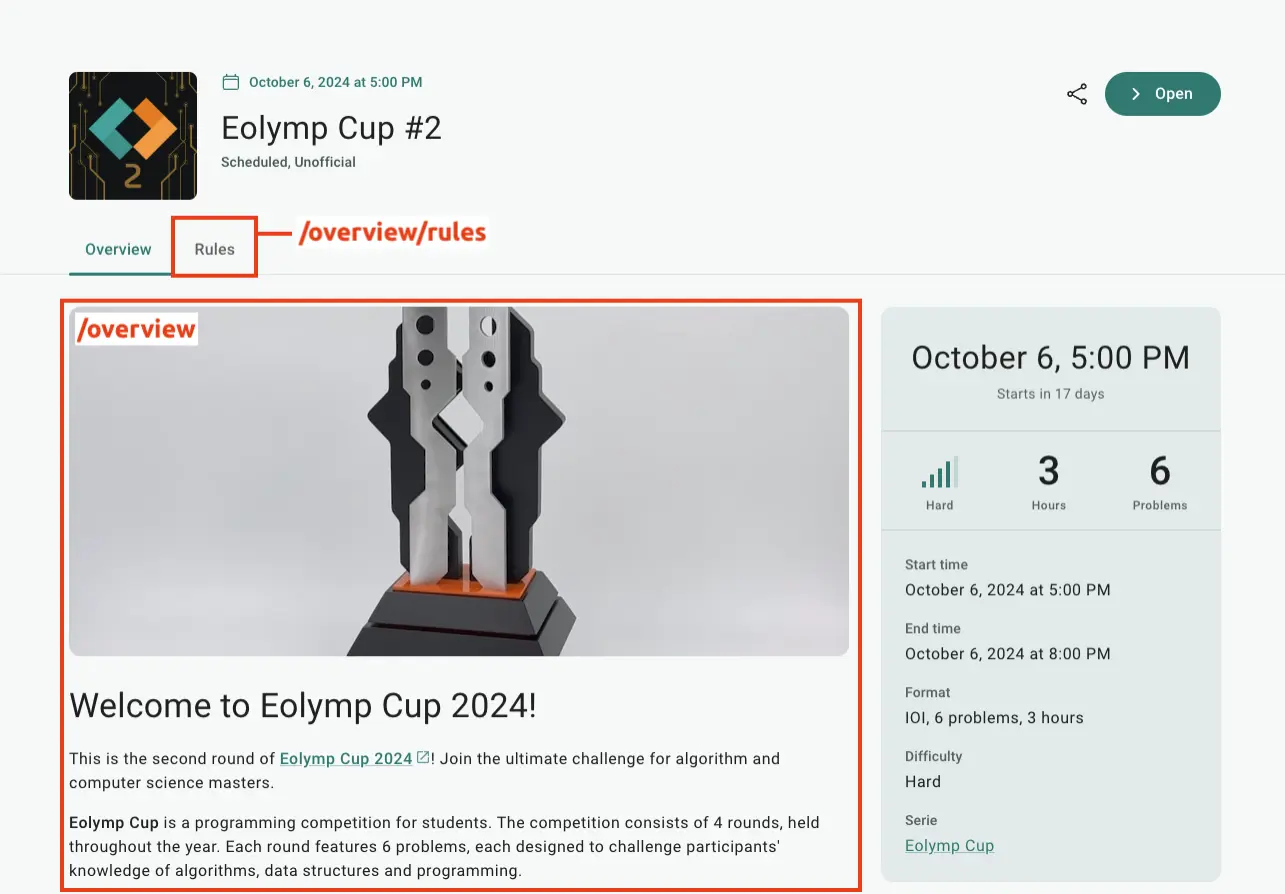
Fig. 2 Placement of contest overview pages
Creating Pages
Follow these steps to create a page:
Open the console and select a space.
Go to the "Contests" page and select the desired contest.
Open the "Pages" section and click "Add page."
Complete the form and click "Create." Use the path
/overviewor a path starting with/overview/to ensure the page is displayed.
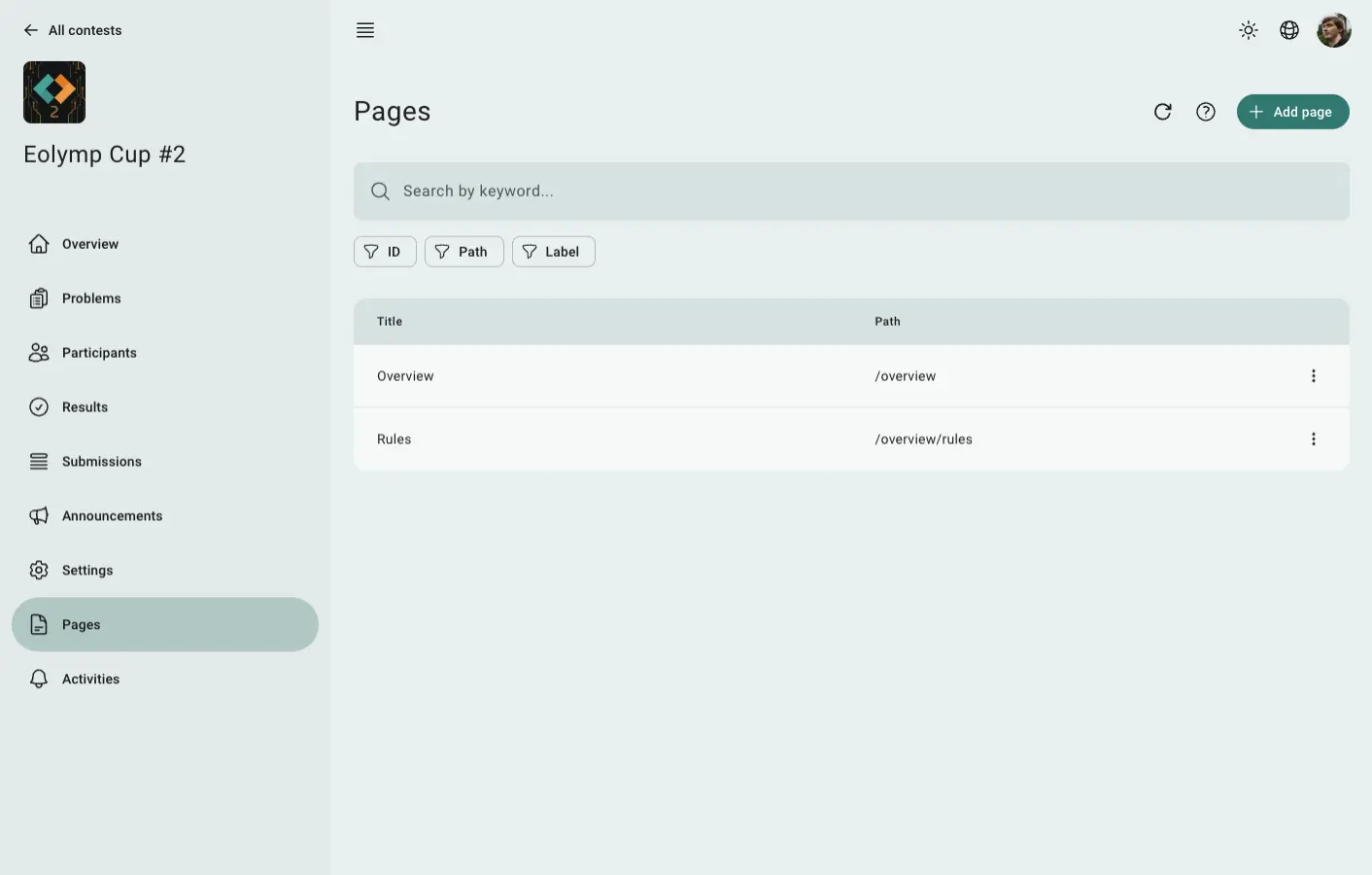
Fig. 3 Example of page configuration
 Stand with Ukraine