
Achievements
An achievement is a badge your space awards a member for something you want to encourage — solving a first problem, finishing a course, being active over a term. Every achievement a member earns appears on their public profile and is written to their activity feed, so they work as a visible record of what someone has done.
Achievements are defined once for the space, under Members → Achievements, and then given to members one at a time.
Availability. The Achievements tab needs permission to change members and a plan with a non-zero achievements quota. If the tab isn't there, see Why a section is missing and Quotas and limits.
What an achievement is made of
Field | What it is |
|---|---|
Image | The badge shown on profiles. |
Name | The achievement's title. |
Summary | Rich text explaining what it's for. |
Points required | The score needed for one award. Defaults to 1. |
Can be earned multiple times | When off, the achievement is awarded at most once however much score accumulates. When on, every full multiple of the points requirement is another award. |
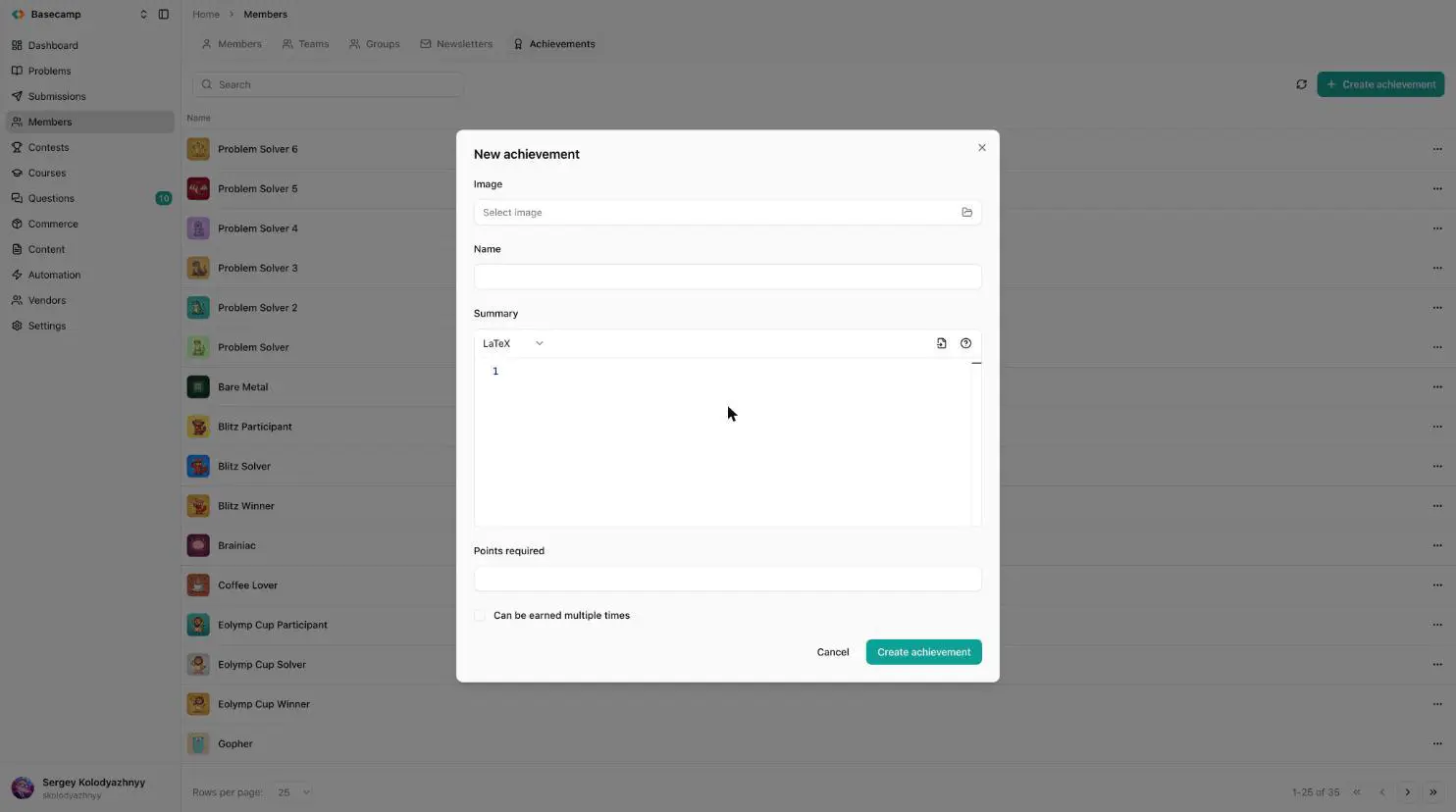
Fig 1. Defining an achievement: image, name, summary, points required.
Name and summary can be translated: each carries per-locale variants, and a member sees the version matching their interface language.
The catalogue list shows each achievement's image and name and can be searched. Achievements are created, edited and deleted from there.
How granting works
Granting is scored rather than yes-or-no. Progress accumulates against the achievement, and the number of awards is that progress divided by Points required, rounded down.
For a one-off badge, leave the requirement at 1 and give a score of 1. For a "solve 50 problems" badge, set the requirement to 50 and add a point per problem: the badge is earned at 50, and — with Can be earned multiple times on — again at 100 and 150.
There are three routes:
By hand, from the member's own Achievements tab.
By automation rules, which can call the Assign achievement action. A rule keyed to a reference counts each distinct item once, which is what lets a "solve 50 problems" achievement accumulate without double counting when the rule runs again over the same problem.
By platform rules, for built-in milestones such as solving a first problem.
A member's Achievements tab
The tab lists what this member has actually earned: each achievement's image, its name, the date it was first awarded, and × N when it's been earned more than once.
Add achievement picks an achievement from the catalogue and takes a Score — the value is written as the member's progress, so a one-off badge needs a score of 1. Remove takes the achievement off the member completely, along with all progress toward it; it isn't the inverse of a single grant, and a member who was two points short of a second award loses the first as well.
Both actions need permission to change members.
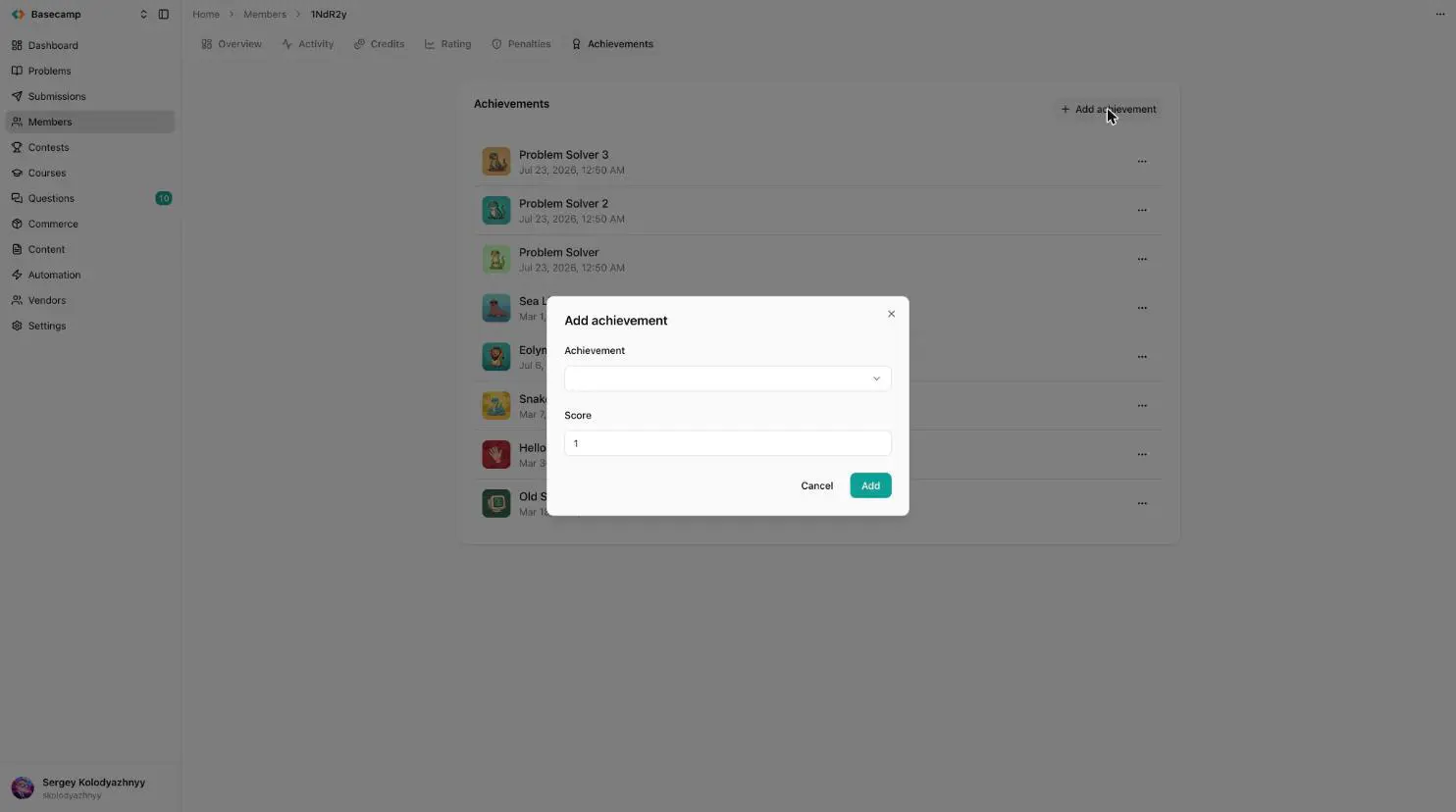
Fig 2. On a member's Achievements tab, Add achievement takes the achievement and a score.
Where members see them
The member's Overview in the console shows up to fifteen earned badges as square images, with the name on hover and a count on any earned more than once (99+ above ninety-nine); a +N button leads to the full tab. The card isn't shown when nothing has been earned.
On the public site, the same badges appear beside the member's name as a preview strip and on a dedicated profile tab, and every new award is published to the activity feed.
Achievements are recognition only — they're not spendable. What a member can spend is credits.
 Разом з Україною