
Questions from participants
Questions is the jury inbox: the clarification requests participants raise during contests, from every contest in the space, in one queue. You answer them here, one thread at a time.
A question always belongs to one contest and to the participant who asked it. There is no space-level or account-level question and no separate helpdesk queue — someone who isn't competing has no way to open one, so this isn't where general support mail arrives.
A reply is private to the participant who asked. Only they see it. When the answer matters to everyone — a correction to a statement, a clarification about the rules — post an announcement instead; that's the only thing the whole field sees.
Before you start
Listing and reading questions needs permission to list questions; without it the Questions item isn't in your sidebar at all — see Why a section is missing.
Replying and changing a status need permission to write questions, and that's checked against the contest the open question belongs to. If you don't have it for that contest, the thread opens read-only: the reply box and the status buttons are disabled.
Questions aren't assigned to anyone. There's no owner, no claiming and no per-person queue — the whole jury sees the same list, and anyone with permission can answer anything.
Answer a question
Open Questions. The queue is sorted by last activity, newest first.
Click a question. The screen splits: the queue narrows to a column on the left, the conversation fills the rest. Your current filters carry across, so the queue beside an open thread is still the one you were working through. On a narrow screen the conversation replaces the queue, with a back arrow to return.
Read the thread, top to bottom. Scrolling to the end is what marks the question read for you — there's no button for it.
Type into the reply box at the bottom. Bodies are Markdown and render as rich text. Enter sends; Shift+Enter inserts a line break.
Sending the reply also marks the question Resolved, in the same step. That's the normal way a question is answered — you don't need to set the status yourself.
Answer in the participant's own thread, and keep it to what they asked. Anything the rest of the field would need to know is an announcement.
When a question is about why a submission failed, be careful what you paste: the solution's standard error, the checker's log, the interactor's log and the per-test input, output and expected answer are visible to organizers only and must never reach a participant. See Submissions.
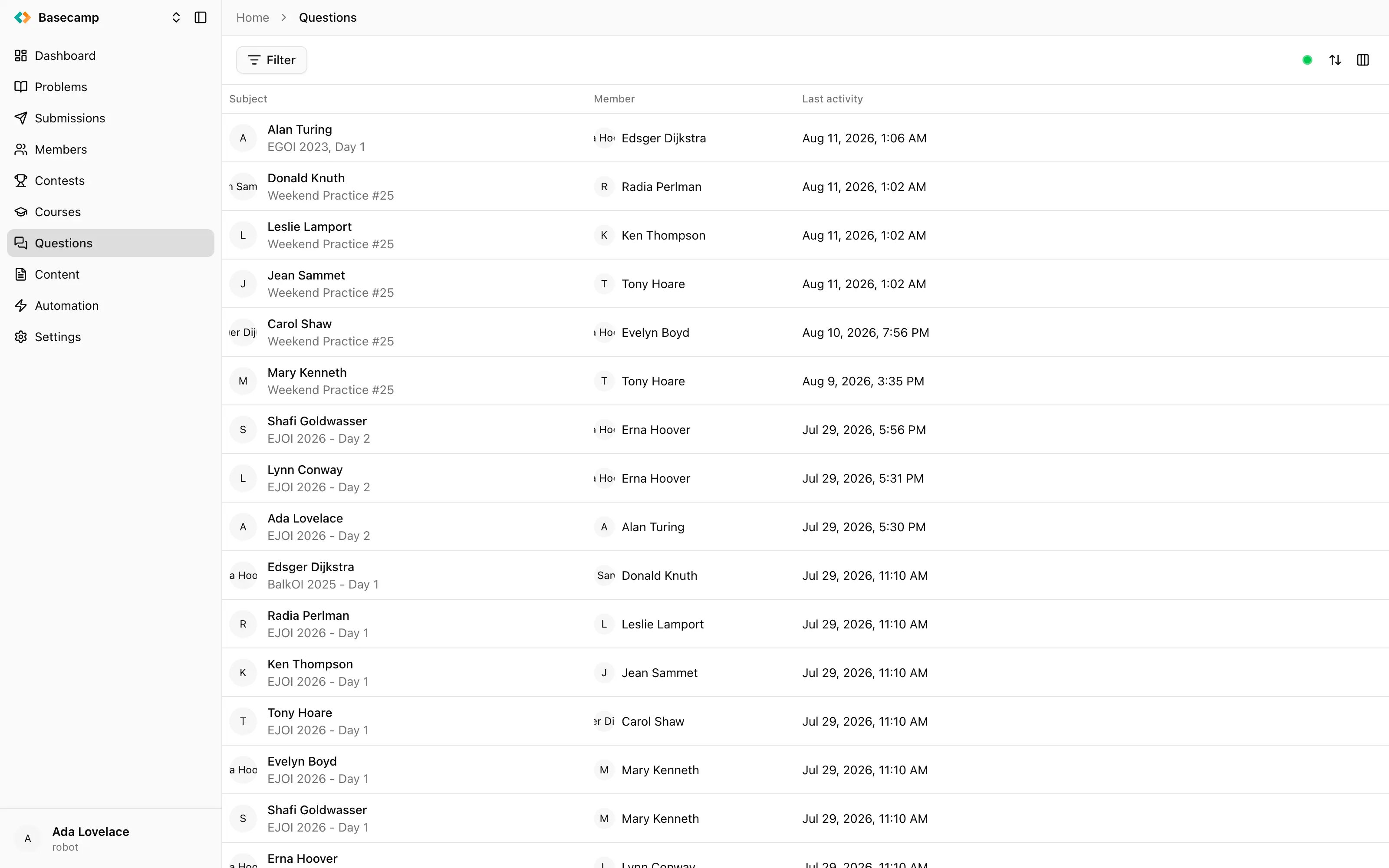
Fig 1. An open question: the queue on the left, the thread and the reply box on the right.
Where participants ask
Participants ask from inside the contest they're competing in, on the participant site, in the contest's Questions section: Ask a question opens a form with a Subject and a Message. The same section lists their own questions with unread markers, and shows the thread with your replies as they arrive.
The queue
The list is paged by scrolling and streams live, so new questions and new replies move rows without a reload.
Columns shown by default:
Subject — the subject, or No subject, with the contest name underneath and the status as a coloured circle. A question with no subject is normal, not a broken one.
Member — the participant who asked.
Last activity — when the thread last moved. This is the default sort.
Contest, Status and Asked are available through the column picker and hidden by default.
You can filter by Contest, by Member, by Status — Awaiting reply, Resolved, Closed — and by Read, meaning read or unread by you.
Reading a thread
The header carries the contest name, the subject and the status badge. Below it comes the original question, then the replies in order. Each message shows its author's avatar, name and time, and consecutive messages by the same author within five minutes are grouped under one heading.
Messages are colour-coded by who wrote them:
Jury — written from the console, marked with a coloured left border.
Participant — plain, with the name linking through to the member.
System — generated by the platform, marked in amber and attributed to System.
Hovering one of your replies offers Edit, which rewrites its body in place, and Delete, which removes it from the thread after a confirmation. Both apply to replies only: the participant's original question can't be edited or removed from the console.
Statuses
Status | Meaning |
|---|---|
Awaiting reply | The jury still owes an answer. A new question starts here. |
Resolved | The question has been answered. |
Closed | The question is finished with and is out of the queue. |
Nothing changes status on its own. Every transition is something a person did:
a participant opens a question — Awaiting reply;
you send a reply — Resolved;
Mark as resolved — Resolved, without writing anything. Offered while the question isn't resolved;
Mark as unresolved — back to Awaiting reply. This is how you reopen a question. Offered on a resolved one;
Close — Closed. Offered on anything not already closed.
A closed question can still be replied to, which resolves it again. No thread ends up in a state you can't bring it back from.
Unread, the sidebar badge, and notifications
Read state is per viewer. A question you've read stays unread for the rest of the jury, and stays unread for the participant until they open it themselves. A question is marked read when its thread is scrolled to the end.
The Questions item in the sidebar carries a badge, streamed live and capped at 99+. It counts questions still awaiting an answer across the space — not unread ones — so reading a thread doesn't clear it and answering does. Two jury members looking at the same space see the same number. See Find your way around the console.
Email about new questions and replies is a per-user, per-space preference: your account menu → Settings → Notifications → New questions and replies. Turn it on for the space you're on duty for.
Hide jury identity
Contests → contest → Settings → Participation → Hide jury identity makes participants see replies attributed to Jury rather than to the person who wrote them. It's a per-contest setting and it changes nothing on your side: in the console the jury always sees who answered.
 Stand with Ukraine