
Problem Testsets
Testsets are groups of test cases that help organize the problem's testing into sub-tasks, each with its own scoring rules and constraints. For instance, you might create a basic testset to check simple functionality and another more advanced testset for edge cases or larger inputs. Each testset can have unique time, CPU, and memory limits, tailored to the task.
Testset layout
Testsets are indexed from 0 and the layout is fixed:
Testset | Holds |
|---|---|
0 | The examples — the tests shown in the statement, worth no points. |
1 | The main tests, when the problem has no subtasks. |
1, 2, 3, … | One testset per subtask, in the order the statement's Scoring section lists them. |
Keeping examples in their own testset at index 0 matters for more than tidiness: they are theonly tests participants can see, so they are the ones whose feedback policy and score differfrom everything else. Mixing them into a scored testset either leaks the scored data or givesthe examples marks.
Subtask numbering must be identical in the statement and in the testsets — "Subtask 2" in thestatement is testset 2.
How to Create a Testset
Follow these steps to create a testset:
Open the console and select the space where your problem is hosted.
Navigate to the Problems section in the left-hand menu.
Select the problem you want to modify.
Go to the Testing section in the problem menu.
Click Add testset to create a new testset.
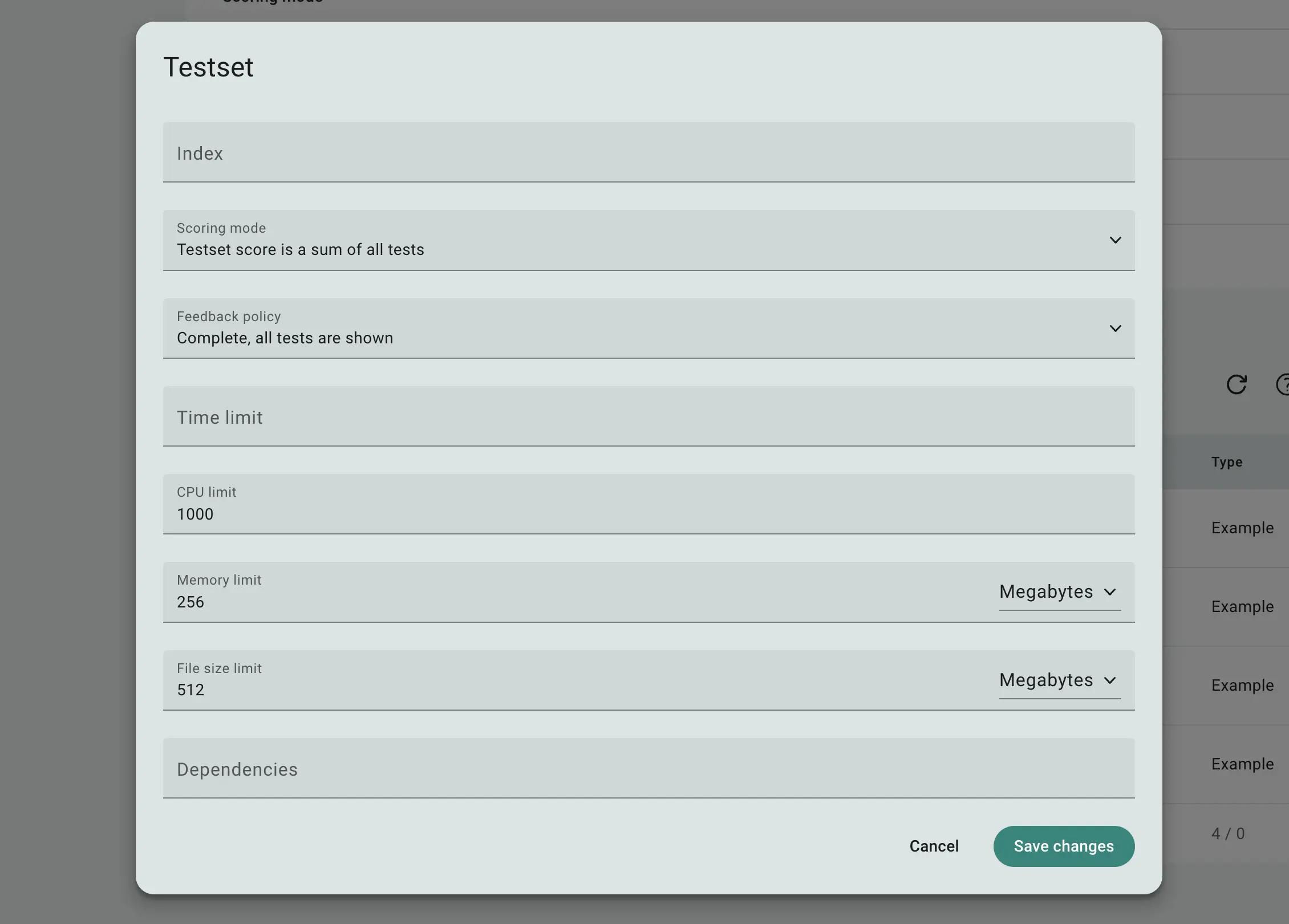
Fig 1. Testset editing form
When configuring a testset, you can specify various constraints and scoring options:
Index: Defines the order of the testset.
Scoring mode: Determines how the testset score is calculated, either as the sum of all test scores, the minimum score, or the maximum score.
Feedback policy: Specifies whether participants will see results for individual tests or just the overall score for the testset.
Time limit: Sets a limit (in seconds) for program execution, measured by wall-clock time.
CPU limit: Sets a limit for CPU time usage, based on how long the program uses a single core.
Memory limit: Restricts the amount of RAM the program can use.
File size limit: Limits the size of files the program can create or use during execution.
You can also create dependencies between testsets, meaning a testset will only be evaluated if its dependent testsets have been fully accepted.
Once your testset is set up, you can begin adding individual tests:
 Stand with Ukraine