
Problem Interactor
An interactor is a special program that interacts with the participant’s solution during execution. Instead of just feeding static input to the program, the interactor can "communicate" with the solution by reading its output and providing additional input based on the program's responses. This allows for problems where dynamic interaction is part of the solution process.
A classic example of a problem using an interactor might be a guessing game where the solution tries to guess a number, and the interactor provides feedback (e.g., "too low" or "too high") after each guess.
How to Configure Interactor
To set up a interactor for your problem, follow these steps:
Open the console and select the space where your problem is hosted.
Navigate to the Problems section from the left menu.
Select the problem you want to modify.
Go to the Testing section within the problem menu.
Click on Interactor to configure it.
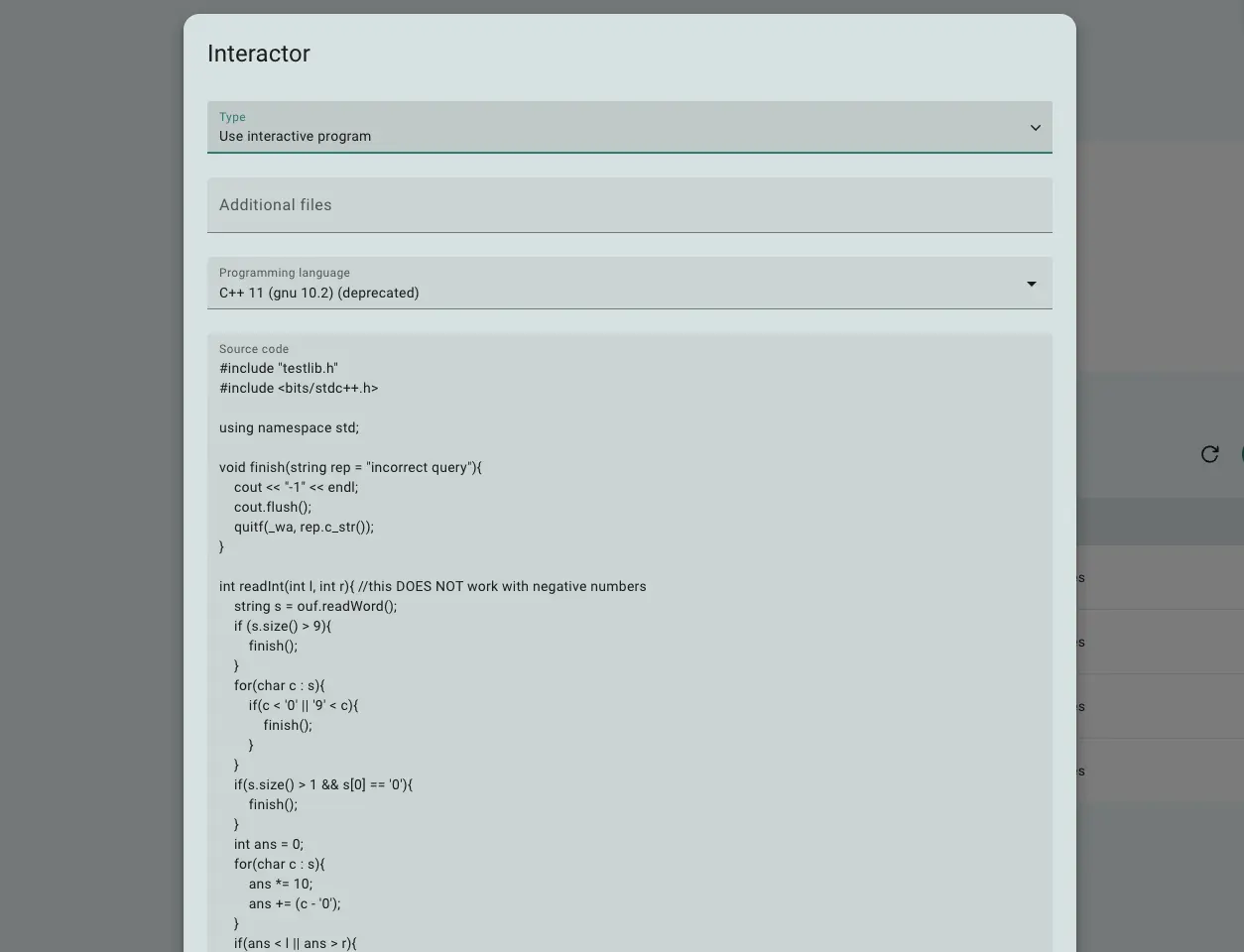
Fig 1. Interactor configuration form
Interactor configuration boils down to specifying runtime (programming language) and the source code for interactor.
How the Interactor Works
The interactor program runs for each test case, right before the participant's solution and continues to run until the testing is complete. It is set up to read data from the solution’s standard output, and whatever the interactor prints is sent to the solution’s standard input. This creates a two-way communication channel between the interactor and the solution, where the programs take turns sending messages and waiting for responses. This interaction typically follows a structured protocol, which must be clearly outlined in the problem statement.
In addition to this communication, the interactor can access input.txt, output.txt (the participant’s answer), and answer.txt (the correct answer). The input.txt file is often used to configure the interactor’s behavior, while output.txt and answer.txt are used by the checker to grade the solution. Names for input, output and answer files are passed to interactor as arguments, and we strongly recommend using arguments rather than hardcoding file names in the code. The interactor is executed like so:
interactor input.txt output.txt answer.txt < /solution-output > /solution-input
The interactor’s exit code indicates whether the interaction was successful. An exit code of 0 means the interaction completed successfully and the system can proceed to the checker stage. An exit code of 1 results in a "Wrong Answer" verdict for the test. Any other exit code signals an error in the interactor, causing the submission to be marked as "System Failure".
 Stand with Ukraine