
Profile Fields
You can set up custom fields for members to collect and store additional information about your users.
To configure additional fields, follow these steps:
Open the console and select the space you want to configure.
Click on Settings in the left menu and find the Profile section.
Click Add Field and fill out the form.
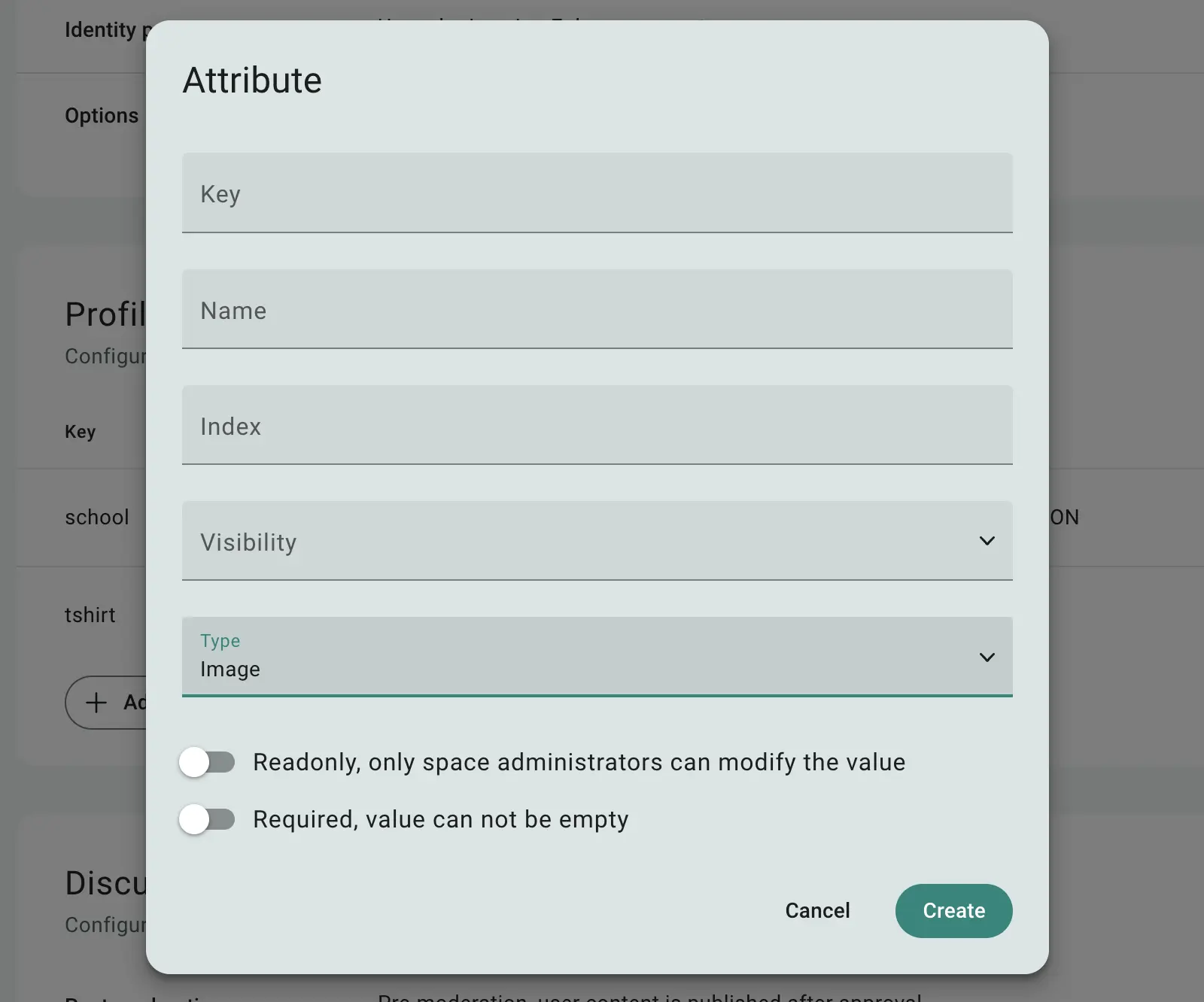
Fig 1. Field creation form
You'll need to provide the following details for the field:
Key: A unique identifier used by the system to store the information in the database. The key must be unique, contain only Latin letters, digits, and underscores.
Name: A user-friendly name for the field, displayed in the interface.
Index: A number that determines the field’s order in the list. Lower numbers will place the field higher in the list.
Visibility: Controls how the field is displayed. Options include:
Internal: Visible only in the console.
Private: Visible to admins and the member themselves.
Public: Can be seen by other members or even anonymous users.
Type: Specifies the field’s data type (see the list below).
Readonly: If enabled, the member can view the field but not edit it.
Required: If enabled, the member must complete the field before they can use the space.
Additional options may be available depending on the field type.
Once configured, the new field will appear in the member’s profile, allowing you to set its value.
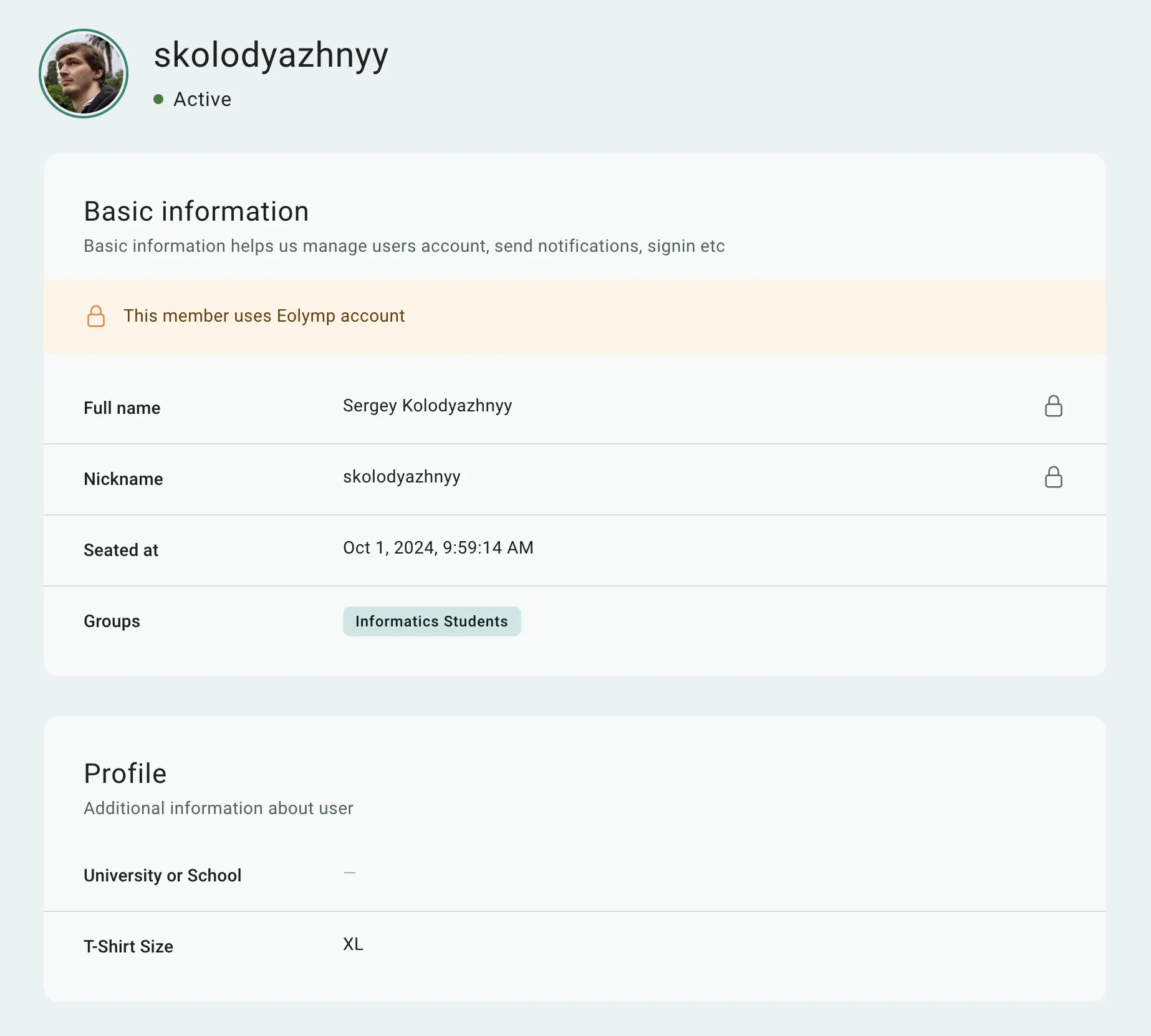
Fig 2. Additional fields in the member profile
Field Types
Eolymp offers a variety of field types:
Type | Description |
|---|---|
String | A single-line text field. You can specify min/max length and a regular expression for validation. |
Text | A multi-line text field for longer entries. |
Number | An integer field, with optional min/max values. |
Choice | A dropdown menu with predefined options. |
Date | A date field. |
A field for email addresses, automatically validated for correct format. | |
Checkbox | A simple on/off toggle. If required, it must be checked to be valid. |
Country | A dropdown for selecting a country. You can restrict choices using additional settings. |
Region | An autocomplete field for regions. Regions can be limited to selected countries. |
School | An autocomplete field for educational institutions, which can be restricted to certain countries. |
Image | A field for uploading an image. |
File | A field for uploading files. |
 Stand with Ukraine