
Space settings
Settings configures the space itself — its name and address, who may administer it, what the subscription pays for, and the registries other sections draw on. It is not where you change your own name, language or timezone; those are in your account menu at the bottom of the sidebar, described in Find your way around the console.
Settings opens on General. Along the top are up to four tabs — General, Permissions, Printers and Billing — and which of them you see depends on your permissions and on your plan. If one is missing, Why a section is missing says what it needs.
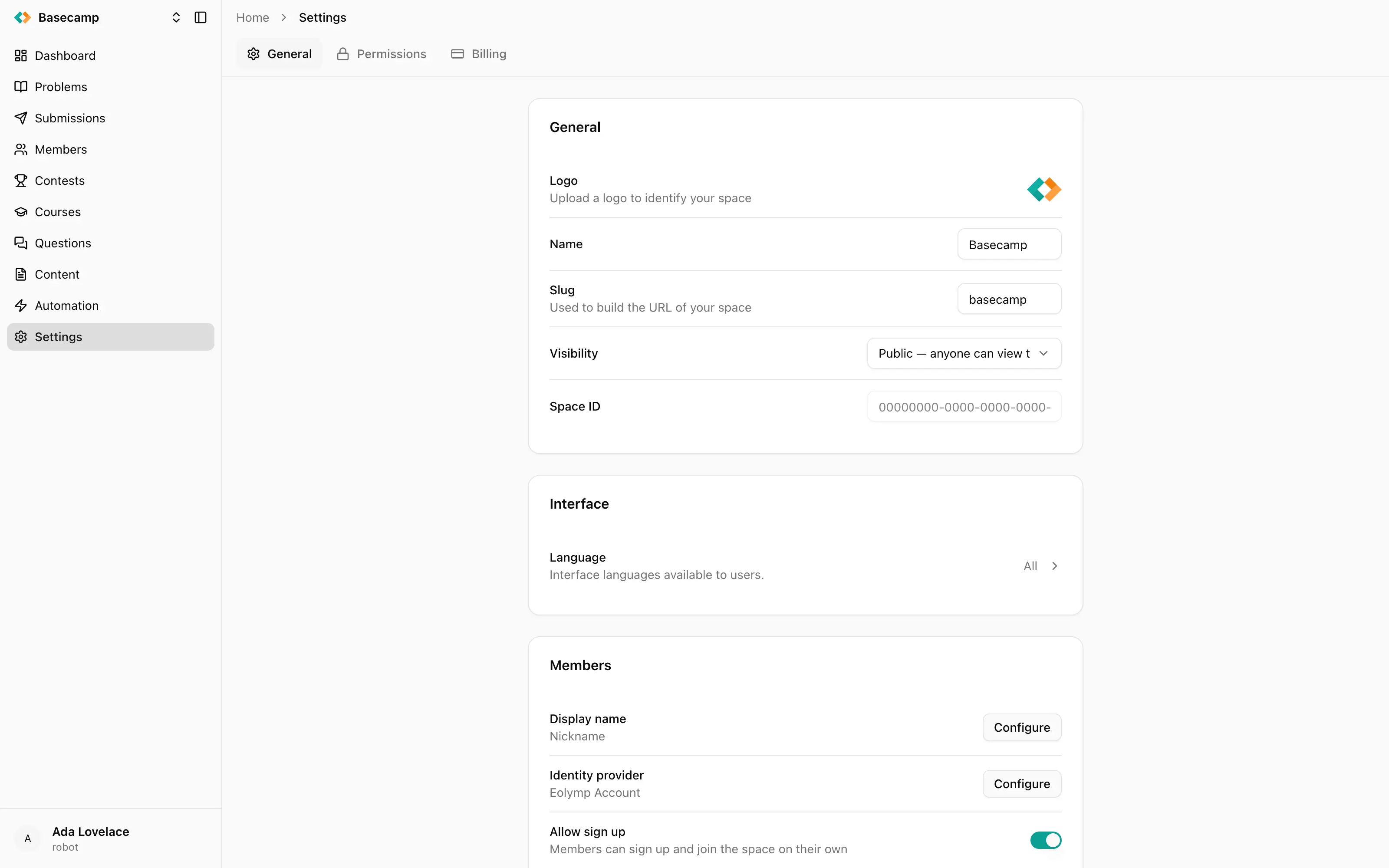
Fig 1. The General tab: one card per area, each saving on its own.
The General tab
General is a column of cards, each covering one area. Fields save individually as you commit them — there is no Save button for the page as a whole, so a change is stored the moment you confirm it.
General card
The space's identity: its Logo, its Name, its Key and its Visibility.
The logo is the picture that stands for the space in the space switcher, in the space picker and on the public site; the name is the text beside it and the title in the browser tab. Both are covered in Name, logo and interface language.
The key is the first part of every console URL and the whole of the public address — see Space key and public address. Visibility decides whether anyone can look at that public site or only signed-in members: Public and private spaces.
The card also shows the Space ID, a read-only internal identifier. You never need it day to day; quote it if support asks which space you mean.
Interface card
Language controls which interface languages the public site offers members. See Name, logo and interface language.
Members card
How people sign in to the public site and how their names appear: Display name, Identity provider, Allow sign up, Require email verification, and a link to the space's Profile fields. These belong to the Members section — see Display name, Identity providers and Profile fields.
Runtime card
What members may run and how often: the Programming languages available for solving problems, Execution tracing, and per-IP submission limits. See Programming languages available to members.
Contests card
A link to Contest series, the named groupings a contest can be filed under. See Contest series.
Discussions card
Whether members can write posts and comments, and whether what they write is moderated before or after publication. See Enable and moderate discussions.
Space control card
Holds one action, Delete space, and is hidden entirely unless you have permission to delete the space. See Delete a space.
The other tabs
Permissions lists the people who can administer this space and what each of them may do. The model — principals, policies and how grants combine — is in Access management; the full list of permissions is in Permission reference, and worked answers to "how do I make someone a judge" are in Give someone the right access.
Printers registers the printers at a physical venue so contestants can send documents to them. The tab appears only when your plan includes at least one printer. See Printers.
Billing shows the plan, the seats, the quota they buy and the recent invoices. See How billing works.
Pages that open from a card
Profile, Contest series and Post types are reached from links on General but are not tabs — they open as their own screens with a breadcrumb back to Settings. They are documented where they are used: Profile fields, Contest series and Post types.
Settings that are not here
Two things people look for in Settings and don't find:
Timezone. There is no space-wide timezone. Every administrator picks their own, and all dates in the console are shown in it. It is in your account settings, not here.
A custom domain. A space is served at its
eolymp.spaceaddress and nowhere else. See Space key and public address.
 Разом з Україною