
Achievements
Achievements are small rewards you give members for the things you want to encourage — solving a first problem, finishing a course, placing well in a contest, or being active over time. Each achievement a member earns shows up on their profile, so they act as a visible, collectible record of what someone has accomplished and a reason to keep going.
You can hand achievements out yourself, or let automation grant them for you when something happens in your space.
Creating an achievement
Achievements are defined once at the space level, then given to members.
Open the console and select your space.
Go to the Members section and open the Achievements tab.
Click Create achievement and fill in the form.
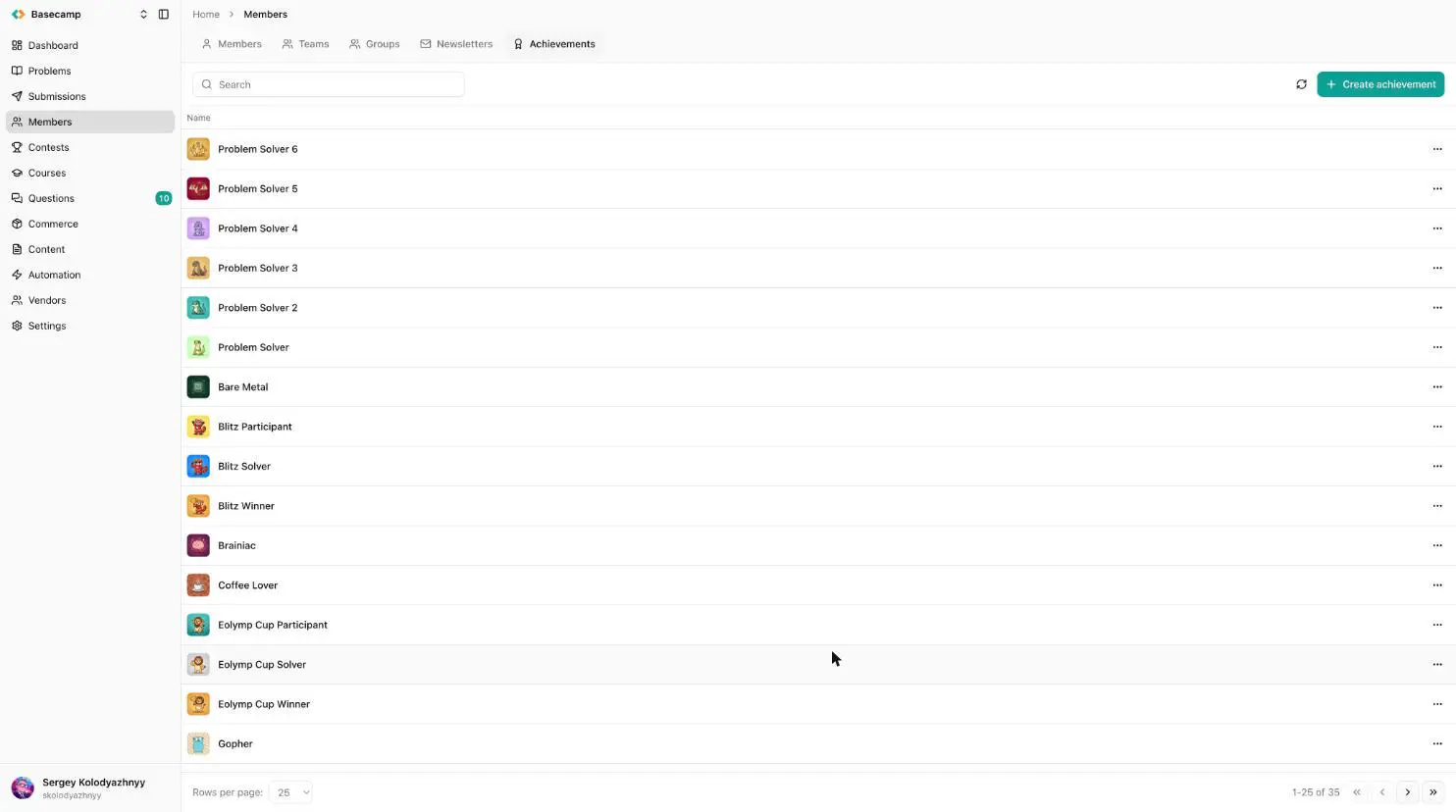
Fig 1. The Achievements tab, under Members, with the Create achievement button.
The form has these fields:
Field | What it is |
|---|---|
Image | The icon shown for the achievement. |
Name | The achievement's title. |
Summary | A short description of what it is for. |
Points required | How many points a member needs to earn the achievement once. Defaults to 1, so a single award is enough. |
Can be earned multiple times | If on, the achievement can be earned again for every additional Points required worth of points. If off, a member can earn it at most once. |
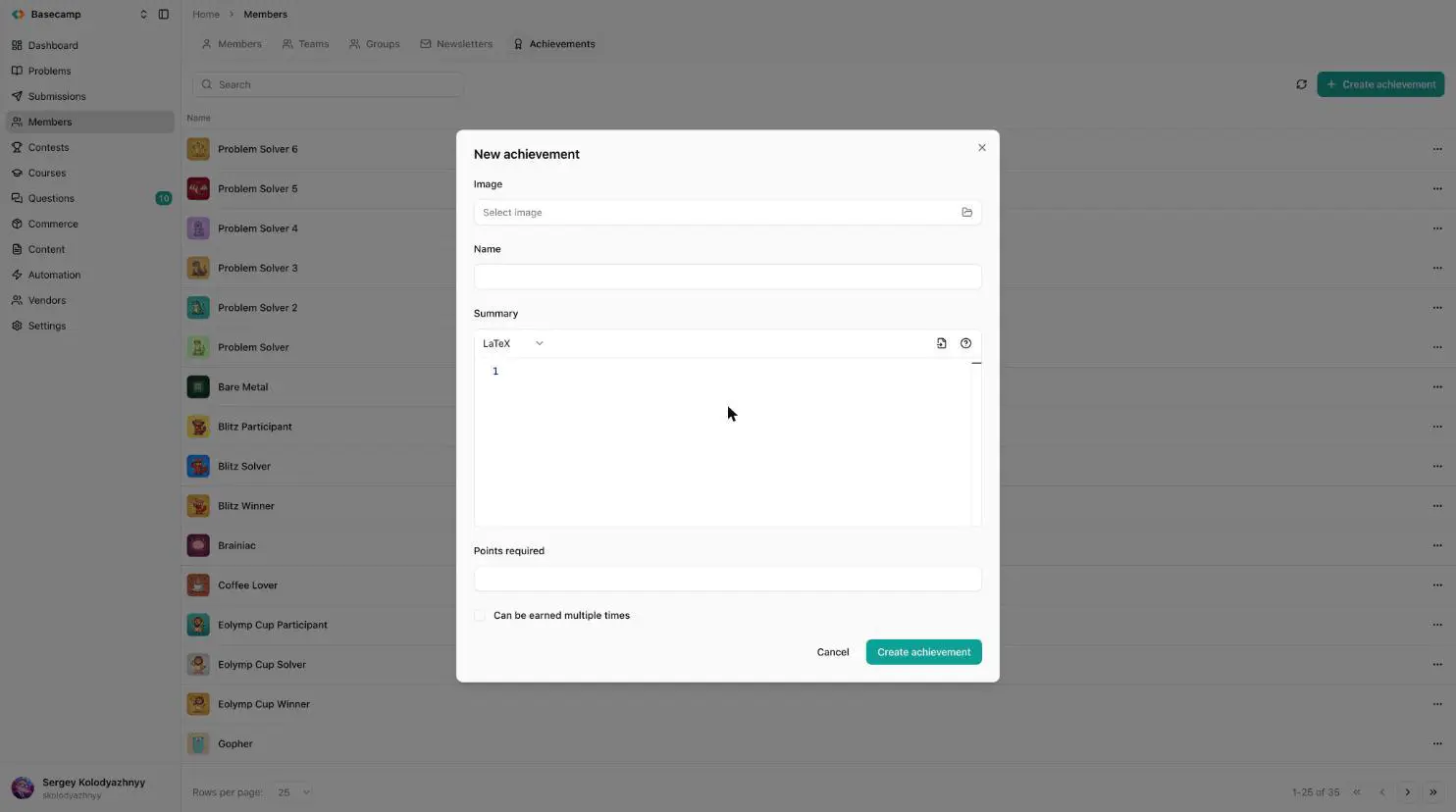
Fig 2. Creating a new achievement.
Once created, the achievement is part of your space and ready to be given to members.
How points work
Each achievement has a Points required threshold, and each member has a score (points) toward it. The number of times a member has earned the achievement is their score divided by Points required, rounded down.
For a simple one-off badge, leave Points required at 1 and give a score of 1 — the member earns it once.
For a "solve 50 problems" style achievement, set Points required to 50 and add points as the member progresses; the achievement is earned when their score reaches 50. With Can be earned multiple times on, they earn it again at 100, 150, and so on, and the count is shown on their profile.
Assigning an achievement to a member
To give an achievement by hand:
Go to Members, find the member, and open their profile.
Open the Achievements tab on the member's page and click Add achievement.
Choose the Achievement and enter a Score (the points to give). To simply award a one-off achievement, enter
1.
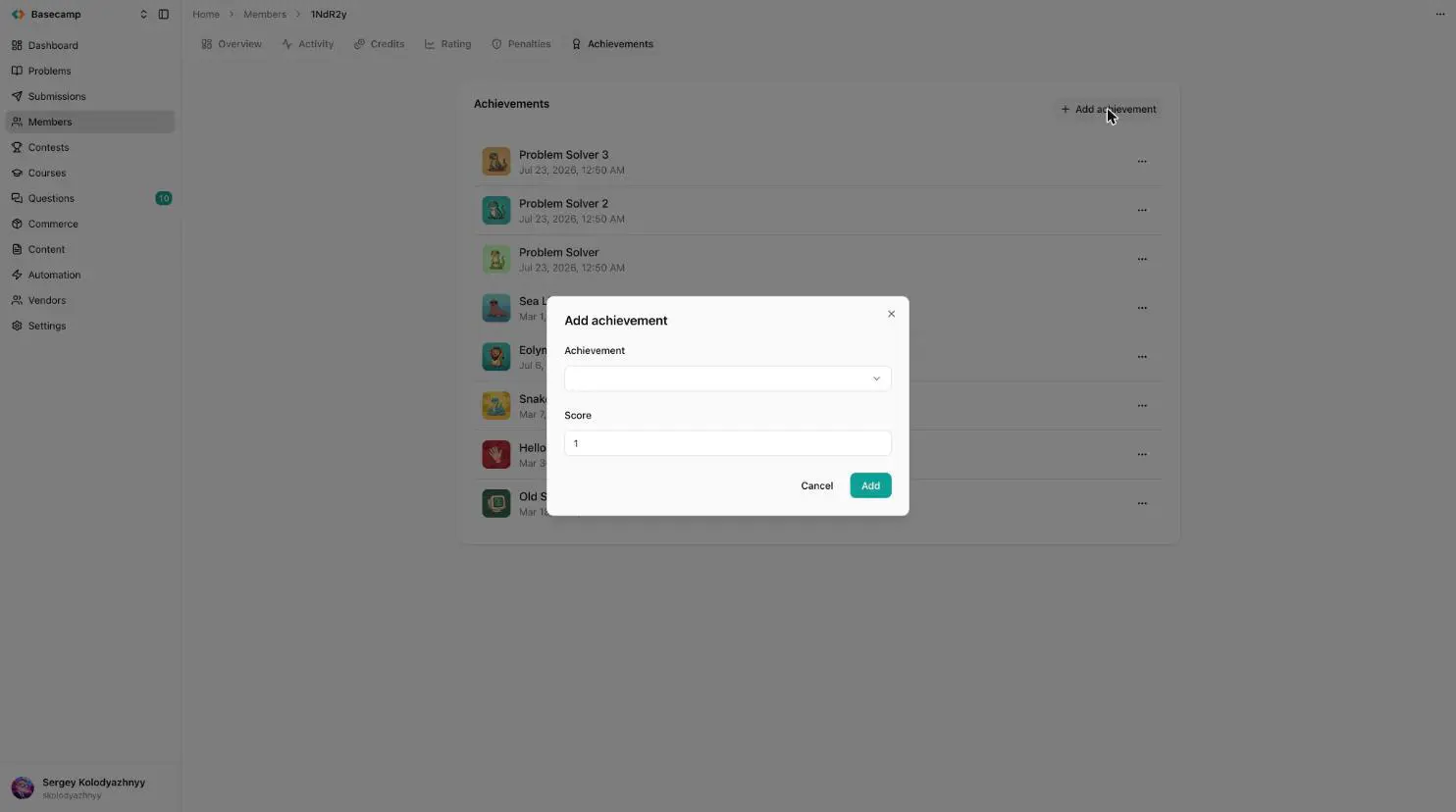
Fig 3. On a member's Achievements tab, Add achievement opens a dialog where you pick the achievement and a score.
You can remove an achievement from a member from the same place.
Granting achievements automatically
Instead of assigning by hand, an automation rule can grant achievements when something happens — for example, awarding a badge the moment a member's first submission is accepted, or adding a point toward a "problem solver" achievement for every problem they solve. Automation can set a member's score to an exact value or add to it over time, which is what makes progress-based achievements work without any manual effort. See the automation guide for how to set that up.
Where members see them
Every achievement a member earns appears on their public profile, with a count next to any achievement earned more than once.
 Stand with Ukraine