
Modules
A module is a chapter of a course. It holds the materials a student works through — documents to read, tasks to solve — and it is the unit everything else acts on: modules are what you assign to a student, what you put a deadline on, and what carries a grade. A course holds up to 100 of them.
The module list is the first tab of a course. Each row shows the module's cover image, its name, how many materials it holds, and a selector switching it between Published and Draft. Editing anything here needs permission to change courses; permission to read courses is enough to look.
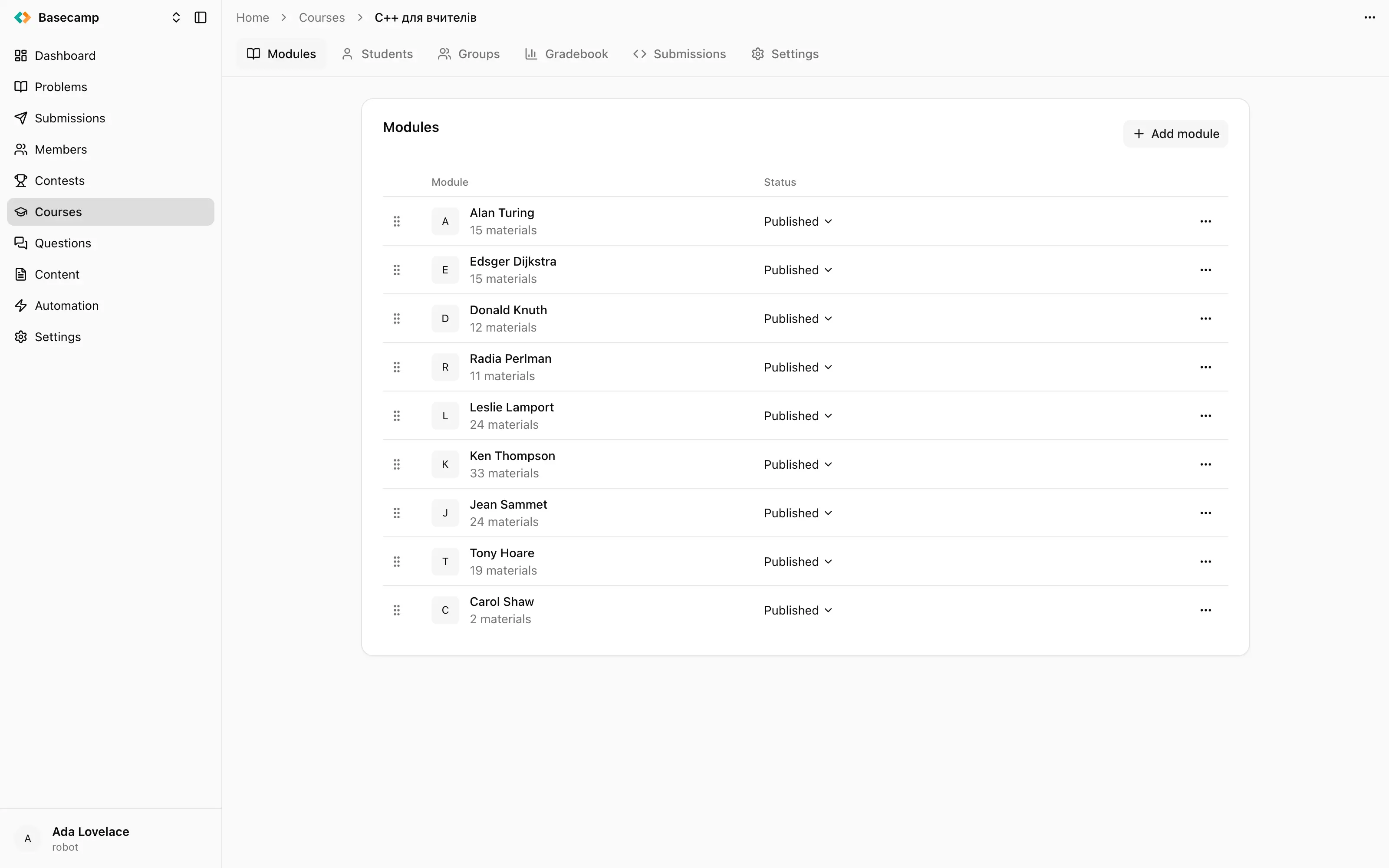
Fig 1. A course's modules, in the order students walk through them, each with its material count and its status selector.
What a module holds
Add module creates one, and Edit in the row menu reopens the same four fields:
Name.
Image — shown next to the module on the course landing page and in this list.
Description — rich content, shown at the top of the module page on the public site.
Grading coefficient — the module's weight in the overall course grade. It defaults to 1, and a module with a coefficient of 0 contributes nothing at all. See Grades.
Order
Rows are dragged into place, and the order you leave them in is the order students see. There is no separate save — the list is the running order of the course.
Draft and published
New modules are created Published. Putting one back to Draft hides it from everyone who cannot edit the course: it disappears from the module list on the public site, and its materials cannot be opened even by a student it was assigned to.
A draft module is also left out of grading. Drafting a module removes it from the overall grade of every student in the course, and publishing it again adds it back. Both that switch and a change of grading coefficient trigger a recalculation of the overall grade for every student, so a module you hide for a day changes everybody's number twice.
Deleting a module
Delete in the row menu asks you to confirm by naming the module. It removes the module with its materials and with the grades recorded against it. The students' submissions remain in the space's submission history, but the grades they earned in that module are gone and the overall grade is recalculated without it.
If what you want is to take a module out of circulation and keep the work, set it to Draft instead.
 Ukrayna ilə durun