
Materials
A material is one item inside a module: either a document, which is text you write, or a task, which is a problem from your space's problem library. Those are the only two types. A module holds up to 100 materials, in the order you arrange them, and that order is the sequence a student walks through.
Opening a module shows its materials, each row carrying an icon, the material's name, a type badge and a Published / Draft selector. Editing needs permission to change courses.
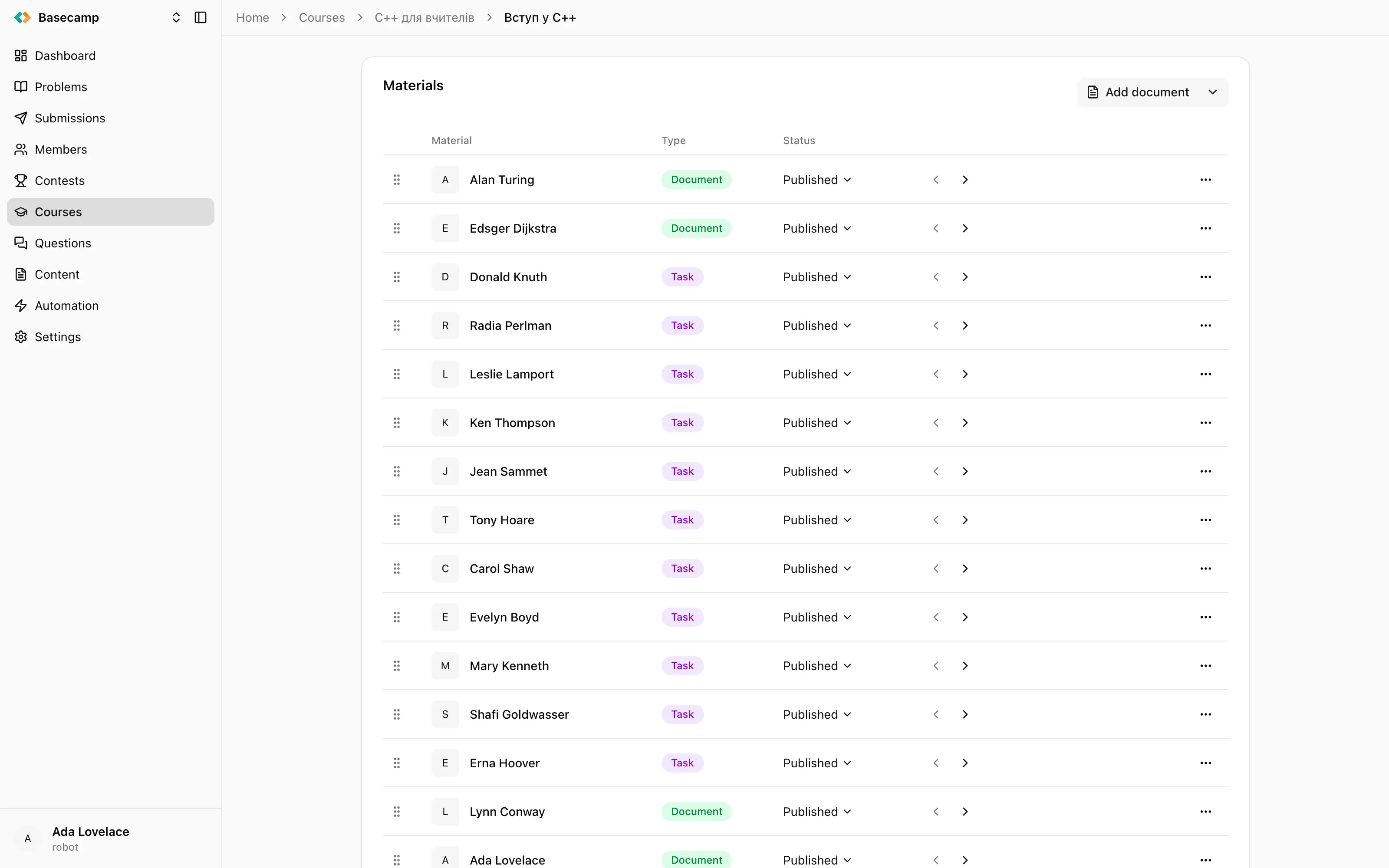
Fig 1. A module's materials — documents and tasks in one ordered list, indented to show the outline.
Documents
A document is authored content: text, images, formulas, code samples, embedded video. You write it in the same editor used for problem statements and site pages, in Markdown or LaTeX, and the editor shows a live preview beside the form. It has two fields, Name and Content, and saving returns you to the material list.
A document carries no grade of its own. Reading one does not move a student's number in the gradebook.
Add document opens the editor for a new one.
Tasks
A task points at a problem in the same space and gives it a score inside the course. The problem itself — statement, tests, checker, limits — is authored in Problems; the material only references it. Tasks are what make a module graded.
Add task, on the split button next to Add document, asks which problem to attach. Afterwards the material has its own settings card, each field saving on its own:
Field | What it does |
|---|---|
Problem | Read-only. The problem is chosen when the task is added and cannot be swapped afterwards — to use a different problem, delete the material and add a new one. View problem opens it in Problems. |
Name | How the task appears in the module. Independent of the problem's own title. |
Maximum score | What the task is worth, defaulting to 100. A task with a maximum score of 0 is not graded at all. |
Grading coefficient | The task's weight inside its module, defaulting to 1. |
The row menu also offers Go to problem, which opens the underlying problem in the Problems section.
There is no third type
There is no quiz material, no video material, no file attachment and nowhere for a student to upload work. Video and other embeds go inside a document's content, and anything you want graded has to be a problem in your space's library — which is what importing problems is for if the problem you want lives somewhere else.
Order and indentation
Rows are dragged into order. The two chevron buttons on each row indent and outdent it, across four levels of depth.
Depth is presentational only. It indents the item in the module outline and in the student's navigation drawer, which is how you show that three tasks belong under one explanation. It has no effect on grading, on access, or on the order things are worked through — an indented material is not "inside" the one above it in any sense the platform acts on.
Draft and published
Each material has its own Published / Draft selector, independent of its module's. A draft material is hidden from students and left out of grading: a draft task is ignored when the module grade is worked out, and publishing it puts it back into the average, changing the module grade of every student in the course.
Delete in the row menu asks you to confirm by naming the material, and removes it along with the scores recorded against it.
 Ukrayna ilə durun