
Problems
In contests held on Eolymp, participants solve a series of problems. These problems are configured separately and stored in the space's problem archive. Once a problem is created, it can be added to a contest. Most problem settings are managed within the problem itself, but a few options can be configured when the problem is added to a contest.
Before you can add problems to a contest, you'll need to create them or import them from other sources.
How to Add Problems to a Contest
To add problems to your contest, follow these steps:
Open the console and select the space you want to configure.
Click on the Contests section in the left-hand menu and choose a contest.
Click on the Problems section in the contest menu.
Click Add problem.
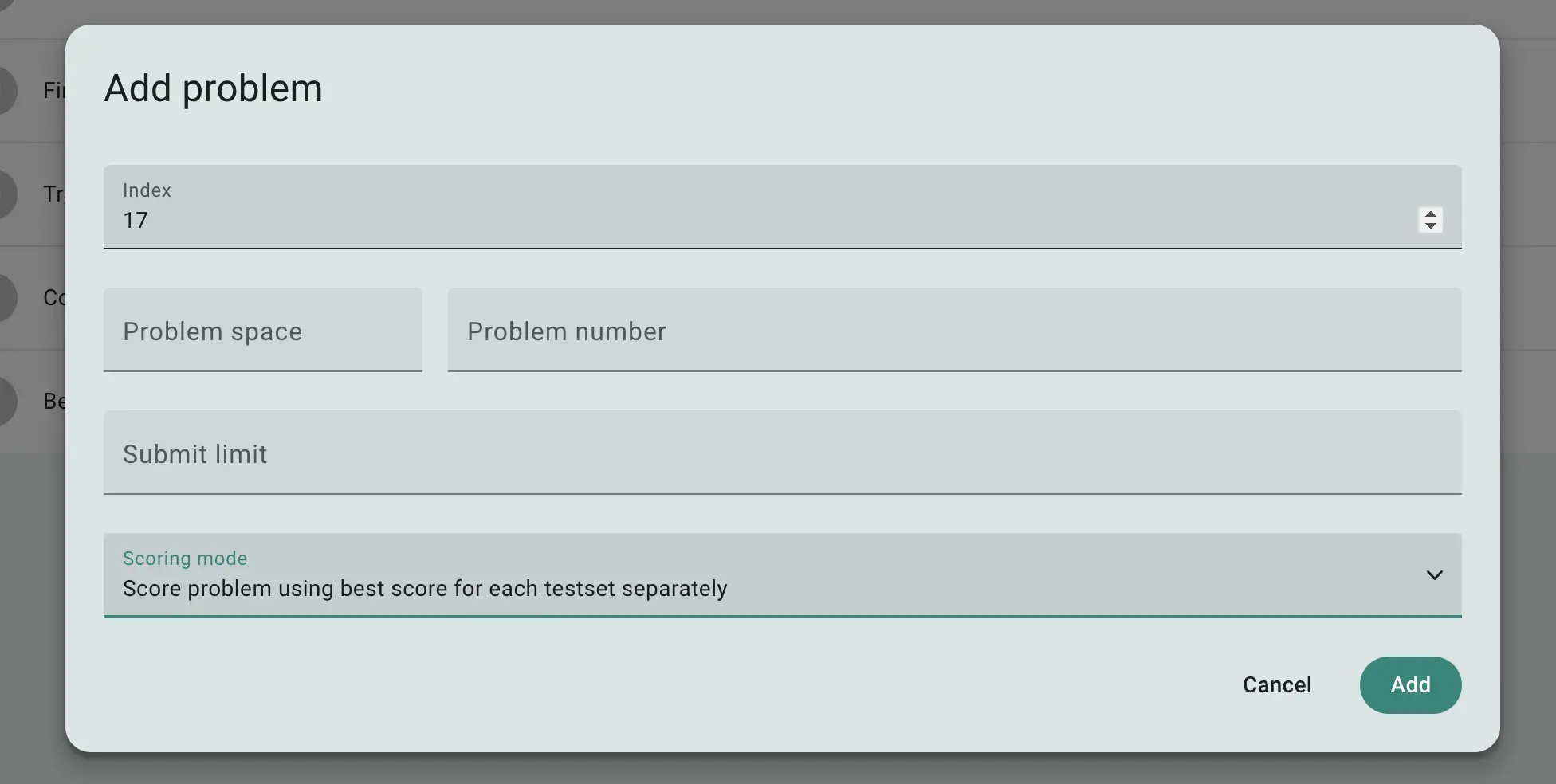
Fig 1. Form to add a problem to the contest
In the form, you'll need to fill out the following details:
Index: Defines the order of the problem in the list. A lower value places the problem higher in the list.
Problem selection: Choose a problem from the archive by selecting the space and problem number you want to use.
Submission limit: Set the maximum number of submission attempts a participant can make. This is optional and applies to all submissions, including invalid ones.
Scoring mode: Choose how the score is calculated:
"Score problem using best submission": The problem score is determined by the highest score from all submissions.
"Score problem using best score for each testset separately": The score is calculated independently for each test set, with the total score being the sum of the best scores from each test set.
 Stand with Ukraine