
Code templates
Code templates are predefined snippets of code that give participants a helpful starting point when solving a problem. These templates often include the basic structure, like reading input and preparing output, allowing participants to focus on implementing the core logic. You can create templates for various programming languages, making it easier for participants to get started.
How to Create a Code Template
To create a code template, follow these steps:
Open the console and select the space where your problem is hosted.
Navigate to the Problems section in the left menu.
Select the problem you want to modify.
Go to Code templates in the problem menu.
Click Add template to create a new template, or click on an existing one to edit it.
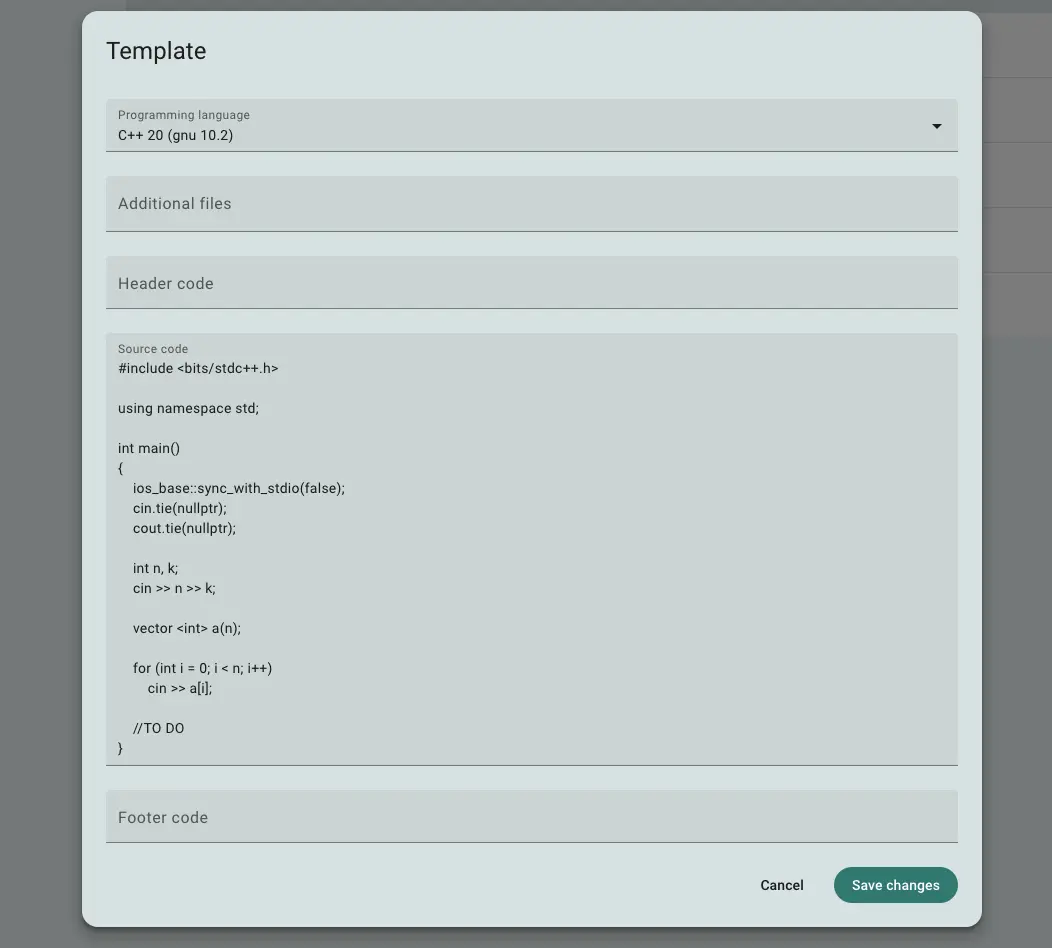
Fig 1. Code template editing form
In the code template editor, you can select the programming language (runtime) for the template and input the body of the template. This code will be visible to participants when they open the code editor for the first time.
You can also configure additional parameters:
Additional files: Upload extra files that will be included in the working directory during submission compilation and execution. For example, in a C++ template, you could add header files (
.h), and the compiler will automatically include them in the build process.Header: This code snippet is prepended to the solution just before compilation. It won't be shown to the participant.
Footer: This code snippet is appended to the solution just before compilation. It also won't be shown to the participant.
By using additional files, headers, and footers, you can reduce the amount of code participants need to write—sometimes down to just implementing a single function.
However, keep in mind that for certain languages, participants may be able to view the content of additional files, headers, or footers. Avoid putting any grading-related logic in these files. Instead, use headers and footers for tasks like reading input and writing output, and keep the grading logic in the checker or interactor.
 Apoye a Ucrania